You sent a message. Two small check marks appeared. Now you’re wondering — does that mean they read it? Are they ignoring you? Did it even go through?
Those tiny symbols carry more information than most people realize, and their meaning is completely different depending on which app you’re using. This guide breaks down every truth behind two check marks across WhatsApp, Android, Telegram, Signal, Tinder, and more — so you never misread a tick again.
What Do Two Check Marks Mean? (Primary Meaning)
The short answer: two check marks on a text message mean your message was delivered to the recipient’s device.
It does not automatically mean the person has read it. Delivery and reading are two separate stages, and many people confuse the two. Whether the marks indicate “read” status depends entirely on which messaging app you’re using and whether read receipts are turned on.
This distinction matters more than most people think — and it’s the root cause of a lot of unnecessary relationship tension and missed follow-ups..
Two Check Marks Across Every Platform
1. Two Check Marks on a Text Message on Android
Meaning: Message Delivered
On Android devices using standard SMS or Google Messages with RCS (Rich Communication Services) enabled, the check mark system works like this:
- Timer/clock icon — Message is currently sending
- Single check mark — Message sent from your device
- Double check mark — Message delivered to the recipient’s phone
- Filled/solid double check mark — Message has been read
RCS must be active on both ends for these indicators to work. If the other person doesn’t have RCS enabled, you may only see a basic sent confirmation with no delivery or read status at all.
2. Two Check Marks on WhatsApp
WhatsApp has the most well-known check mark system in the world. Here’s how it works step by step:
| Symbol | Meaning |
| Clock icon | Message is being sent |
| One gray check | Message sent, not yet delivered |
| Two gray checks | Message delivered to device |
| Two blue checks | Message opened and read |
If read receipts are turned off by the recipient, gray double ticks will remain gray permanently — even after they’ve read your message. You can disable this in WhatsApp Settings → Privacy → Read Receipts.
3. Two Check Marks on Samsung Android Messages
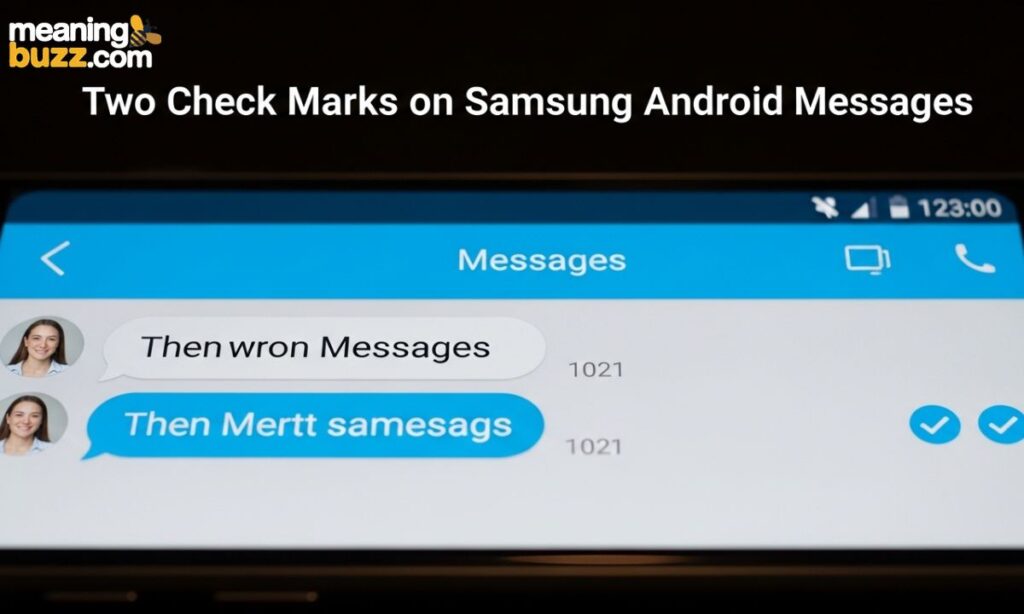
Samsung’s default messaging app follows the same RCS convention as Google Messages. Two check marks mean the message reached the recipient’s device. A filled or darker double check indicates it was read, provided both users have RCS and read receipts active. Carrier compatibility plays a role here — some networks don’t fully support delivery reports over standard SMS.
4. Two Check Marks on iPhone
iMessage on iPhone does not use check marks at all. Instead, it shows:
- “Delivered” — in small grey text below your bubble, meaning the message reached the recipient’s device
- “Read” — with a timestamp, if the recipient has read receipts enabled
The check mark style indicators appear on iPhone only when using third-party apps like WhatsApp or Telegram, which have their own systems built in.
5. No Check Mark on Android Text
If you see no check mark at all after sending a message on Android, it usually means one of these things:
- Your internet connection dropped before the message sent
- The app is waiting to connect to the server
- RCS is not enabled on your device or the recipient’s
Try sending again once your connection is stable. If it keeps failing, check your network settings or switch to Wi-Fi.
Also read FF Meaning on Social Media Slang Simplified for 2026
6. One Check Mark on Android Text
A single check mark means the message left your phone successfully but hasn’t arrived on the recipient’s device yet. This can happen if their phone is off, they’re in a dead zone, or their data connection is down. It’s not a failure — the app will keep trying to deliver until it succeeds.
7. Two Check Marks and a Lock Symbol
On Google Messages and some Android RCS messaging apps, you may notice a small padlock icon alongside the double check mark. This lock symbol means the message was sent with end-to-end encryption, which keeps the content private and readable only by you and the recipient. It’s a security indicator, not a status indicator — and it’s a good thing to see.
Does Two Check Mark Mean Read?
Not always. Here’s the direct answer by platform:
- WhatsApp — Two gray checks = delivered only. Two blue checks = read.
- Telegram — Two checks = read (Telegram skips a separate “delivered” stage in most chats).
- Google Messages (RCS) — Filled double check = read. Outline double check = delivered only.
- Samsung Messages (RCS) — Same as Google Messages.
- iMessage — No checks at all; uses “Delivered” and “Read” text instead.
- Signal — Two checks = delivered. Two filled checks = read (if read receipts are on).
Telegram Two Check Mark Meaning
Telegram handles check marks slightly differently from WhatsApp. On Telegram:
- One check mark — Message sent from your device to Telegram’s servers
- Two check marks — Message delivered and read by the recipient
Unlike WhatsApp, Telegram does not show a separate “delivered but unread” state with gray ticks. The double tick on Telegram typically means the person has actually opened and viewed the message. However, this can vary depending on notification previews and certain privacy settings within the app.
Two Check Marks Meaning Google Messages
Google Messages introduced RCS support to make Android texting feel closer to iMessage. With RCS enabled:
- Single check — Sent
- Double check (outline) — Delivered
- Double check (filled/solid) — Read
Without RCS, Google Messages falls back to basic SMS and shows no delivery or read status. The lock icon appearing alongside any of these checks confirms the conversation is end-to-end encrypted — a feature that became default for RCS chats between Android users starting in 2023.
Two Check Marks Tinder Meaning
Tinder does not use a traditional check mark system. When you send a message in a Tinder conversation:
- Your message appears in the chat thread immediately after sending
- There is no visible “delivered” or “read” indicator in standard Tinder chats
- Some users confuse match notification icons with check marks, but these are different
If you see something that looks like a check mark on Tinder, it’s likely part of the app’s interface design rather than a delivery or read receipt indicator.
Two Check Mark Meaning Signal
Signal, the privacy-focused messaging app, uses a clean check mark system:
- One check mark — Message sent from your device
- Two check marks (outline) — Message delivered to the recipient’s device
- Two check marks (filled) — Message read, if read receipts are enabled
Signal gives users full control over read receipts in Settings → Privacy → Read Receipts. If the recipient has turned them off, you’ll only ever see the double outline checks regardless of whether they’ve read your message.
Quick Summary Table
| Platform | Two Gray/Outline Checks | Two Blue/Filled Checks |
| Delivered, not read | Read | |
| Telegram | Read | N/A (one stage) |
| Google Messages (RCS) | Delivered | Read |
| Samsung Messages (RCS) | Delivered | Read |
| Signal | Delivered | Read (if enabled) |
| iMessage | No checks used | “Read” text shown |
| Tinder | No check system | N/A |
| Facebook Messenger | No checks | Profile icon = seen |
Why This Meaning? Tone and Emotion
The double check mark carries more emotional weight than its creators probably intended. For many people, watching two gray ticks sit there without turning blue feels like waiting at a door that won’t open. The anxiety of “seen but no reply” is now so common it has its own cultural shorthand.
The key thing to remember: delivery does not guarantee attention. A message can land on someone’s phone while they’re driving, sleeping, in a meeting, or dealing with something you don’t know about. Two check marks confirm the technical journey of your message. They say nothing about the other person’s emotional availability or intent.
Real Conversation Examples
WhatsApp — Waiting on Gray Ticks
Sam: “Hey, still two gray ticks after three hours. Is their phone off?” Response: “Probably — or they don’t have data right now. Not blocked though, otherwise it’d stay at one.”
Google Messages — Filled Check Means Read
Alex sends an RCS message at 10:00 AM. By 10:05, a filled double check appears. Alex: “Okay, they’ve seen it. Now I wait.”
Signal — Read Receipts Off
Double checks appeared but stayed as outlines. “They probably turned off read receipts. Message got there — whether they looked at it, who knows.”
Telegram — Double Check Means Read
Message sent. One tick, then two quickly. “On Telegram, double ticks mean they actually opened it. Ball’s in their court.”
Related Messaging Symbols
| Symbol | Meaning |
| 🕐 Clock icon | Message sending or queued |
| ✓ Single check | Message sent from device |
| ✓✓ Double check (gray/outline) | Message delivered |
| ✓✓ Double check (blue/filled) | Message read |
| 🔒 Lock icon | End-to-end encrypted |
| ! Exclamation mark | Message failed to send |
| 👁 Eye/profile icon | Seen (Messenger, Instagram) |
Platform Differences at a Glance
WhatsApp separates delivery and read into color-coded stages. It’s the most familiar system globally and the reason most people associate blue ticks with being “read.”
Telegram skips the gray double-check stage and goes straight to a double check when read, making it feel slightly more direct.
Google Messages and Samsung Messages both rely on RCS being active. Without it, the whole system disappears and you’re back to basic SMS with no status feedback.
Signal mirrors WhatsApp’s logic closely but puts privacy first — read receipts are opt-in, not default.
iMessage avoids check marks entirely and uses plain language, which is arguably less stressful but also less informative.
Frequently Asked Questions
What do two check marks mean on a text message?
Two check marks usually mean your message was successfully delivered to the recipient’s device — not necessarily that they read it.
Does two check marks mean the person read my message?
Only on Telegram by default, and on WhatsApp/Signal when the marks turn blue or filled. Gray double ticks on WhatsApp mean delivered, not read.
What does one check mark mean on Android text?
One check mark means the message was sent from your device but hasn’t been delivered to the recipient yet.
What does the lock icon next to check marks mean?
The lock icon means the message was sent with end-to-end encryption — your conversation is secure and private.
Can someone read my message without triggering blue ticks on WhatsApp?
Yes, by turning off read receipts in settings, or by reading the message in airplane mode before reconnecting to the internet.
Why are my check marks stuck at two gray ticks on WhatsApp?
The recipient may have their phone off, no internet connection, or read receipts disabled. They have not necessarily blocked you — blocking would keep messages at one tick.
Do two check marks work the same on all phones?
No. The meaning of two check marks varies by app, and some apps don’t use check marks at all (like iMessage).
What does two check marks mean on Telegram?
On Telegram, two check marks typically indicate the message has been read, not just delivered — different from WhatsApp’s gray double-tick stage.
Conclusion
Two check marks look simple, but they tell a surprisingly layered story. Across WhatsApp, Android, Telegram, Signal, and beyond, these tiny symbols are your real-time window into the journey of your message — from your phone to someone else’s screen.
The most important thing to take away: two checks = delivered, not necessarily read. Blue or filled checks are what confirm your message was actually opened. And even then, a read message doesn’t guarantee an immediate reply.
Next time you see that double tick sitting there, you’ll know exactly what it means — and more importantly, what it doesn’t mean.